
Demo Guide - From Lead to Renewal in One Place
A 10-minute walkthrough: read the dashboard, work the lead pipeline, open a contact, manage members and renewals, run events and attendance, then check users, audit and settings. One login covers all of it - empowering-tribe-crm-c2h3n4ay6a-as.a.run.app.
Sign in
Open the CRM and log in with your email and password. You land straight on the Dashboard.
- Go to the URL above - signed-out visitors are sent to /login
- Enter your Email and Password
- Click Sign in (there's a Forgot password? link if you need it)
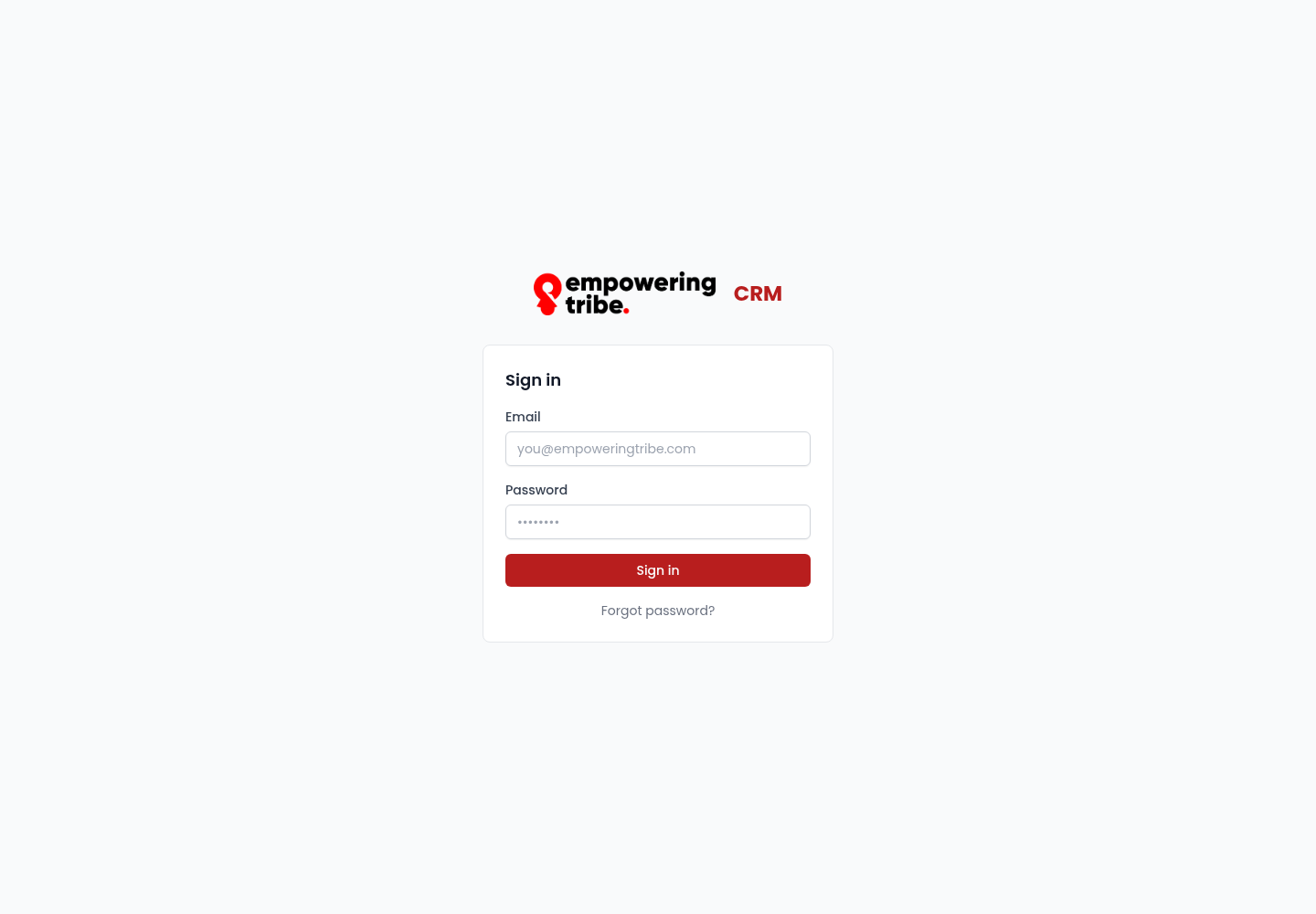
The sign-in screen - email + password, nothing else to configure
Start on the Dashboard
The Dashboard is the morning read: how many members are active, how many leads are waiting on you, and where the pipeline is stuck.
- Top row of KPIs - Active members 24, New leads 37, Awaiting you 35, Renewals due 3, At-risk members 26, each with its 30-day movement
- Lead volume by channel and New leads by tier - where leads come from and how their scores are trending over 8 weeks
- Lead pipeline snapshot - how many leads sit in Nurturing, Call Booked, Call Held and Program Assigned
- Members by lifecycle and Conversion rates - 51% qualification rate, 14% discovery-call show rate
- Email engagement (MailChimp) - last sends with open and click rates
- Awaiting you - stalled contacts with how long they have been sitting, e.g. Randolph Brakus-Brekke, stalled 415 days
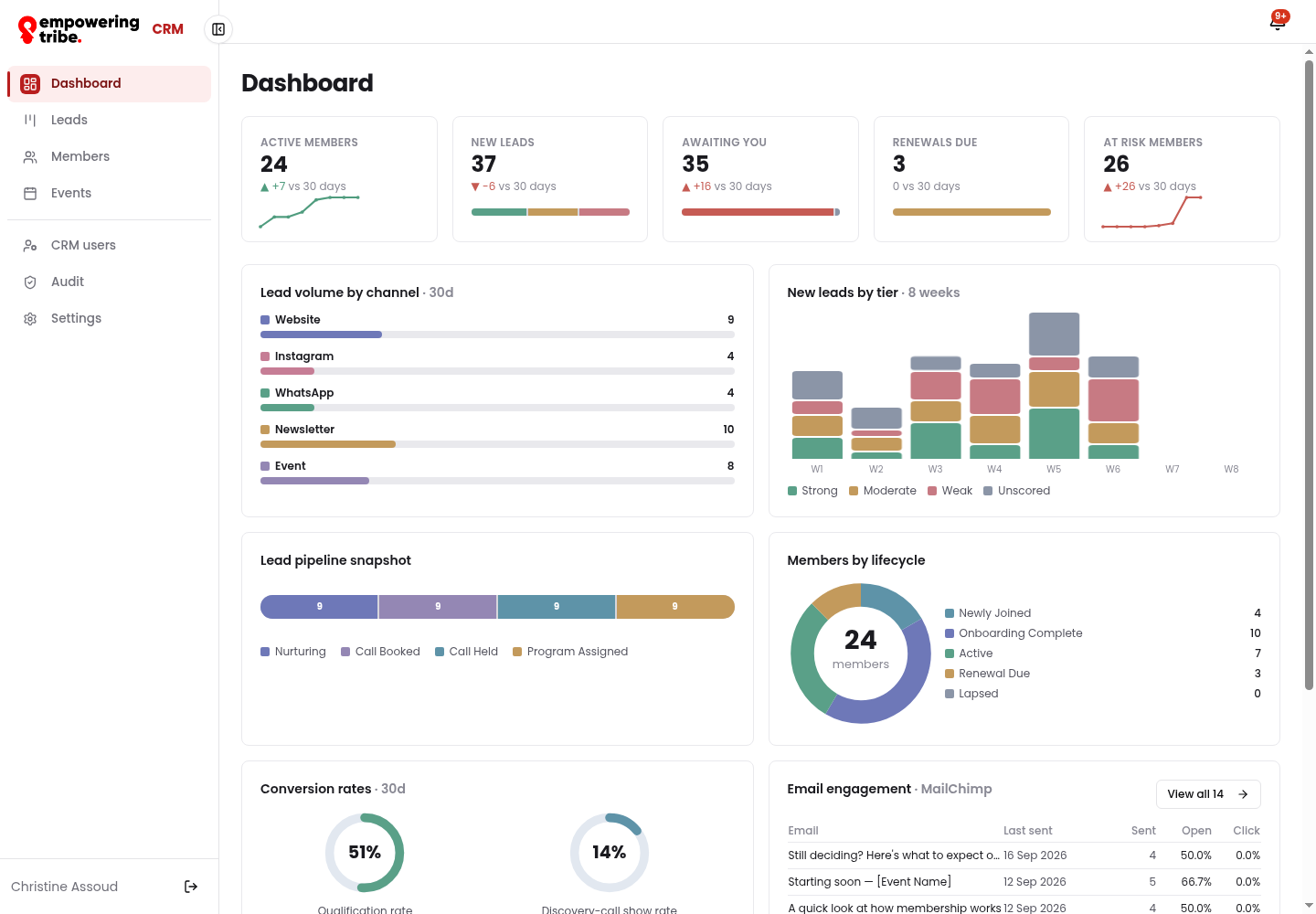
Dashboard - KPIs, channel and tier charts, lifecycle split, conversion rates, email engagement and the stalled list
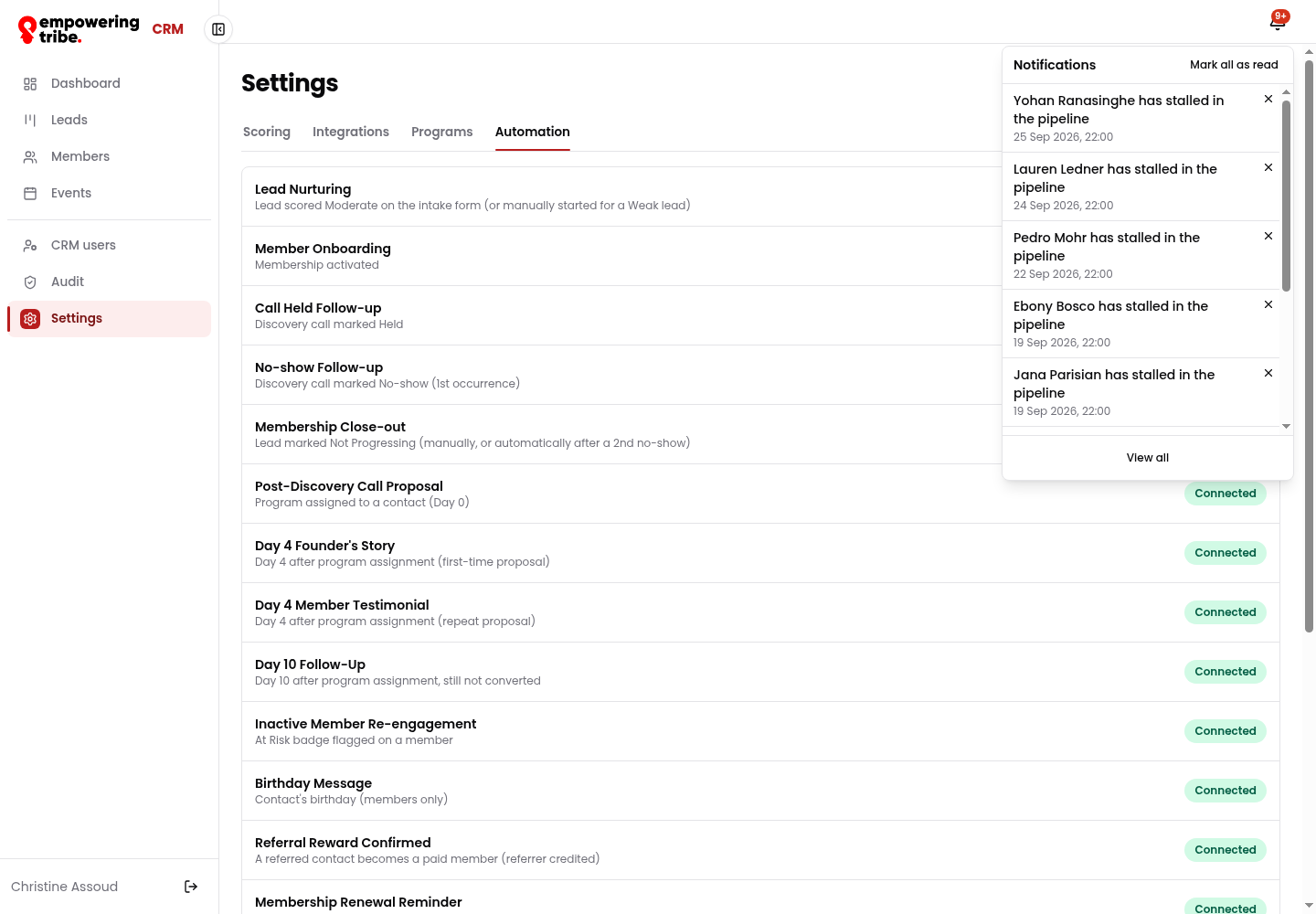
Notifications - stalled contacts and MailChimp integration failures
Work the Lead Pipeline
Leads live on a board, not in a spreadsheet. Six stages run left to right, and every card carries its own next action.
- Open Leads - the board opens by default (switch to List for a filterable table)
- Filter by tier (Strong / Moderate / Weak), source (Website, Instagram, WhatsApp, Newsletter, Event, Other), program, country or Captured in last 30 days
- Read the stages: Needs Attention, Nurturing, Call Booked, Call Held, Program Assigned, Not Progressing
- Each card shows the initials, name, tier, source, and days in stage - booked calls also show the call time
- Use Export CSV for the numbers in a spreadsheet
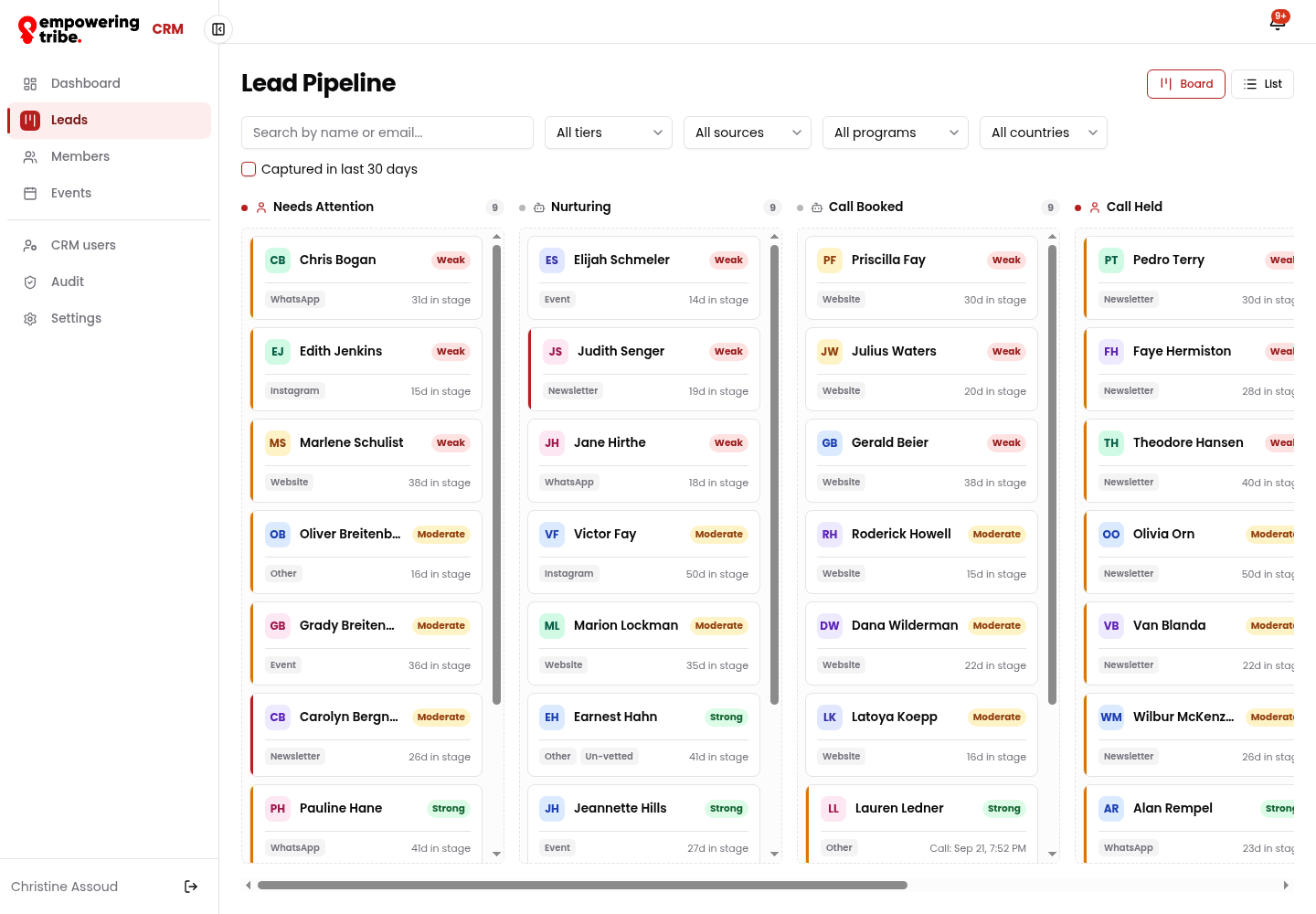
Lead pipeline board - 9 leads per stage, each card showing tier, source and days in stage
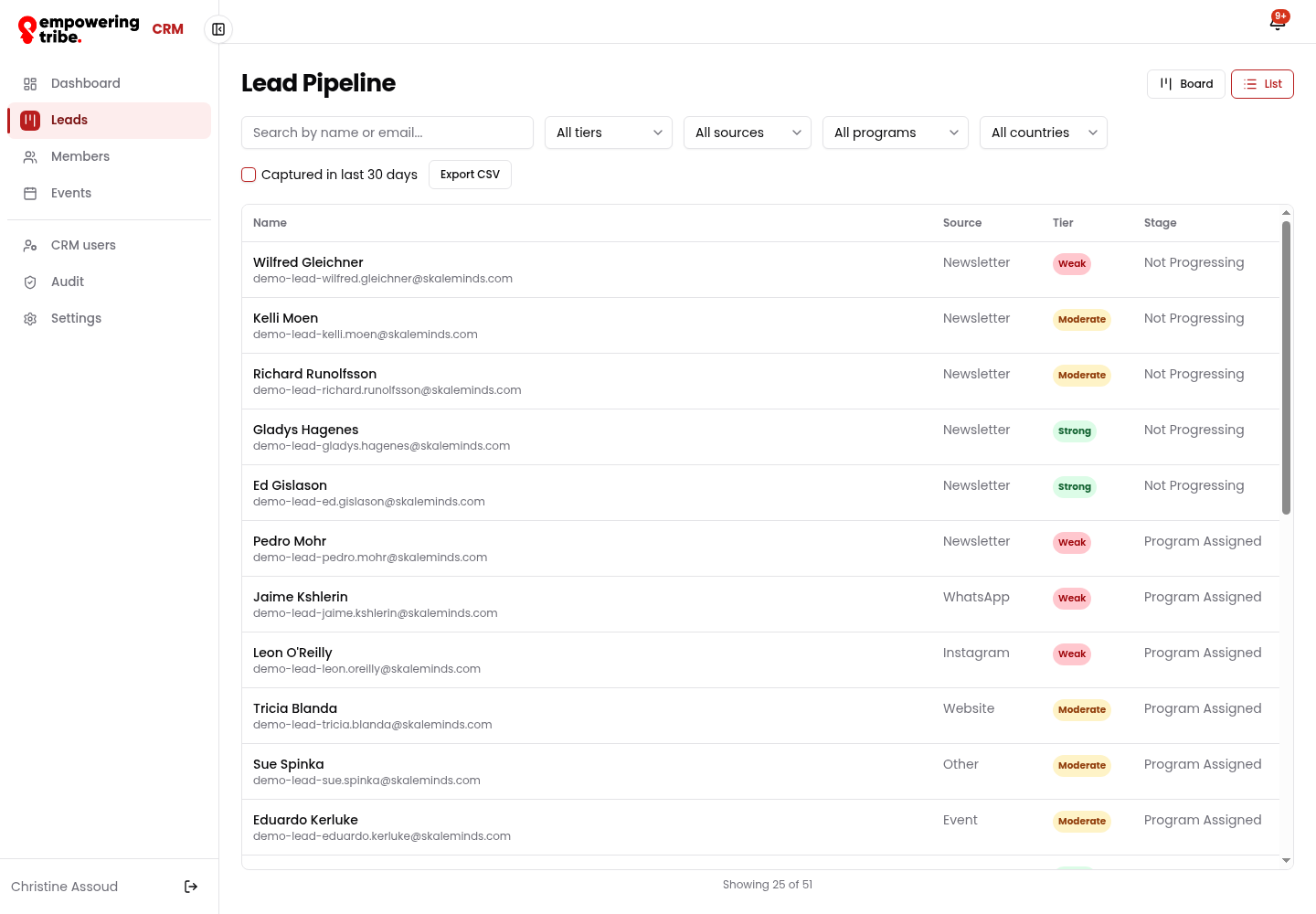
List view - same records as a sortable table with Name, Source, Tier and Stage, plus Export CSV
Open a lead and see the whole story
Click any row (or card) to open the contact record. Everything about that person sits on one screen, with their intake answers spelled out underneath.
- Qualification panel - score, source, country, capture date (e.g. Wilfred Gleichner: 23 / Weak, Newsletter, captured 6 Aug 2026)
- Pipeline panel - stage, days in stage and assigned program
- Action buttons - Activate Membership or Start Nurture Sequence
- Tabs - Activity, Notes, Communications, Events, Referrals (each starts empty for a brand-new lead; the Activity tab keeps the full audit trail)
- Scroll to Qualification detail to read every question the lead answered and the points each answer scored
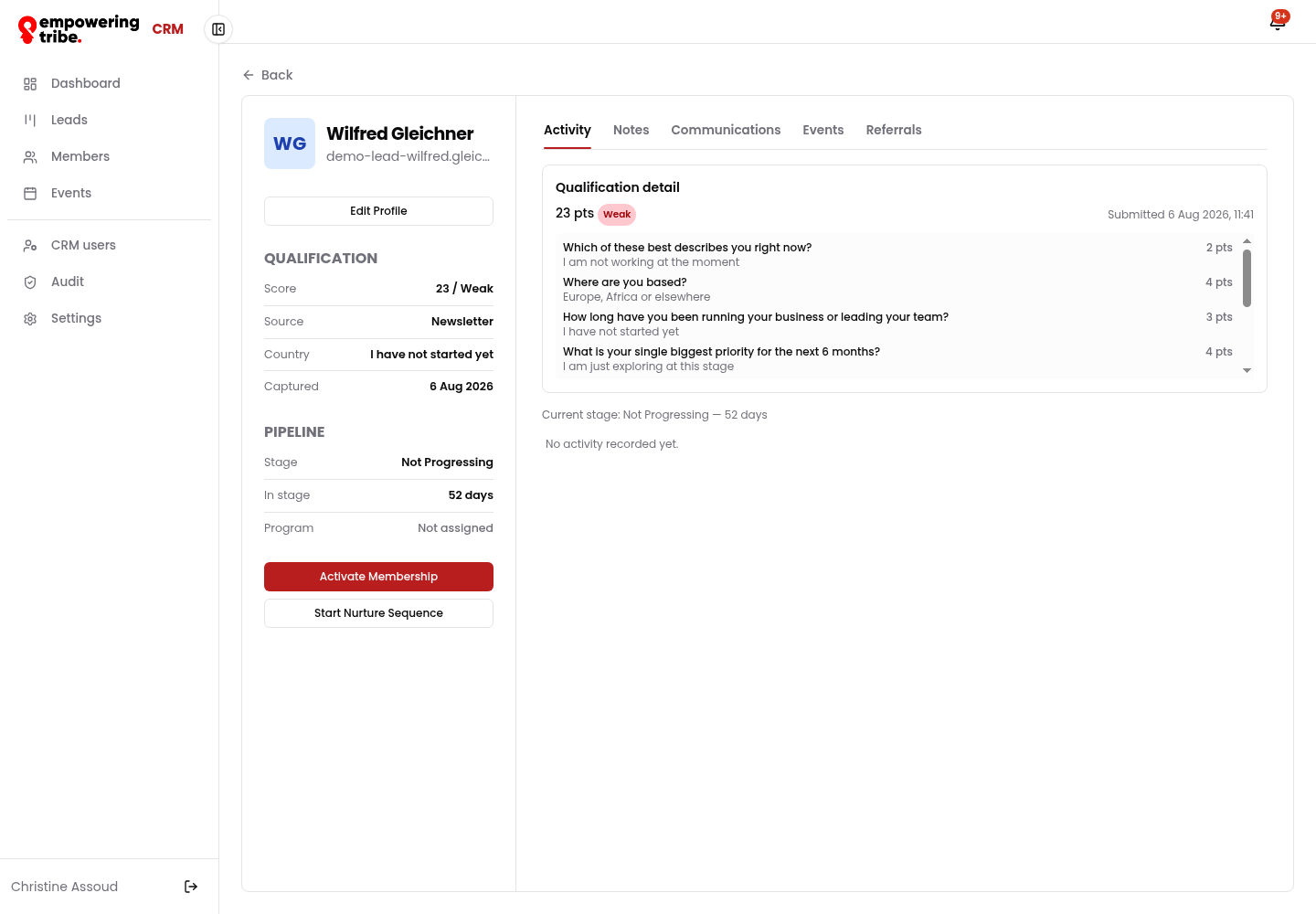
Lead detail - qualification and pipeline panels, the two hand-off actions, the tab strip and the full intake breakdown
Update a contact's profile
Edit Profile on any contact opens the edit panel - the same fields work for leads and members, so a record can be corrected at any point in its life.
- Contact fields: first and last name, email, phone, country, company / organisation, birthday (day + month), city, LinkedIn URL
- Interests - tick any of Business Insights, The Empowering Tribe, Her Book Club, Catalyst Expert Series
- Program - assign Founder Track, Leadership Circle, Launchpad or Student Pathway
- Membership dates - member since and membership expires
- Lifecycle stage - Newly Joined, Onboarding Complete, Active, Renewal Due
- Save to commit, Cancel to discard
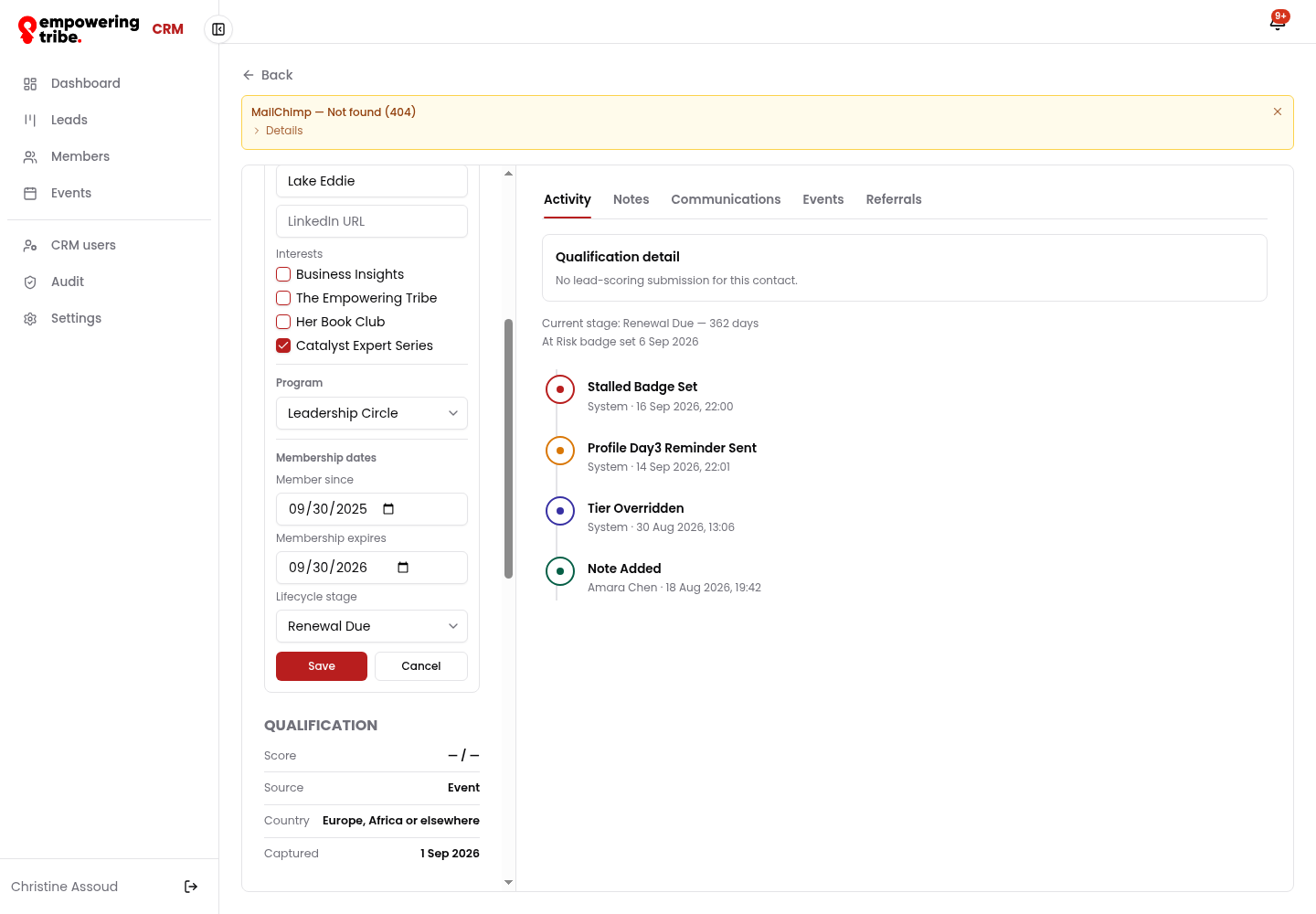
Edit Profile - interests, program, membership dates and lifecycle stage, alongside the intake scoring detail
Members - the same board, one stage later
Members are grouped by lifecycle instead of pipeline stage, so renewals stop being a surprise.
- Open Members and read the columns: Newly Joined (4), Onboarding Complete (10), Active (7), Renewal Due (3), Lapsed (5)
- Cards show the company, assigned program and when the membership expires (e.g. "Expires in 2d", "Expired 7d ago")
- Filter by program, country, badges (At Risk, Un-vetted, Former Member, Stalled) or profile status (Complete / Incomplete)
- Tick Group by program to see each cohort separately, or switch to List and Export CSV
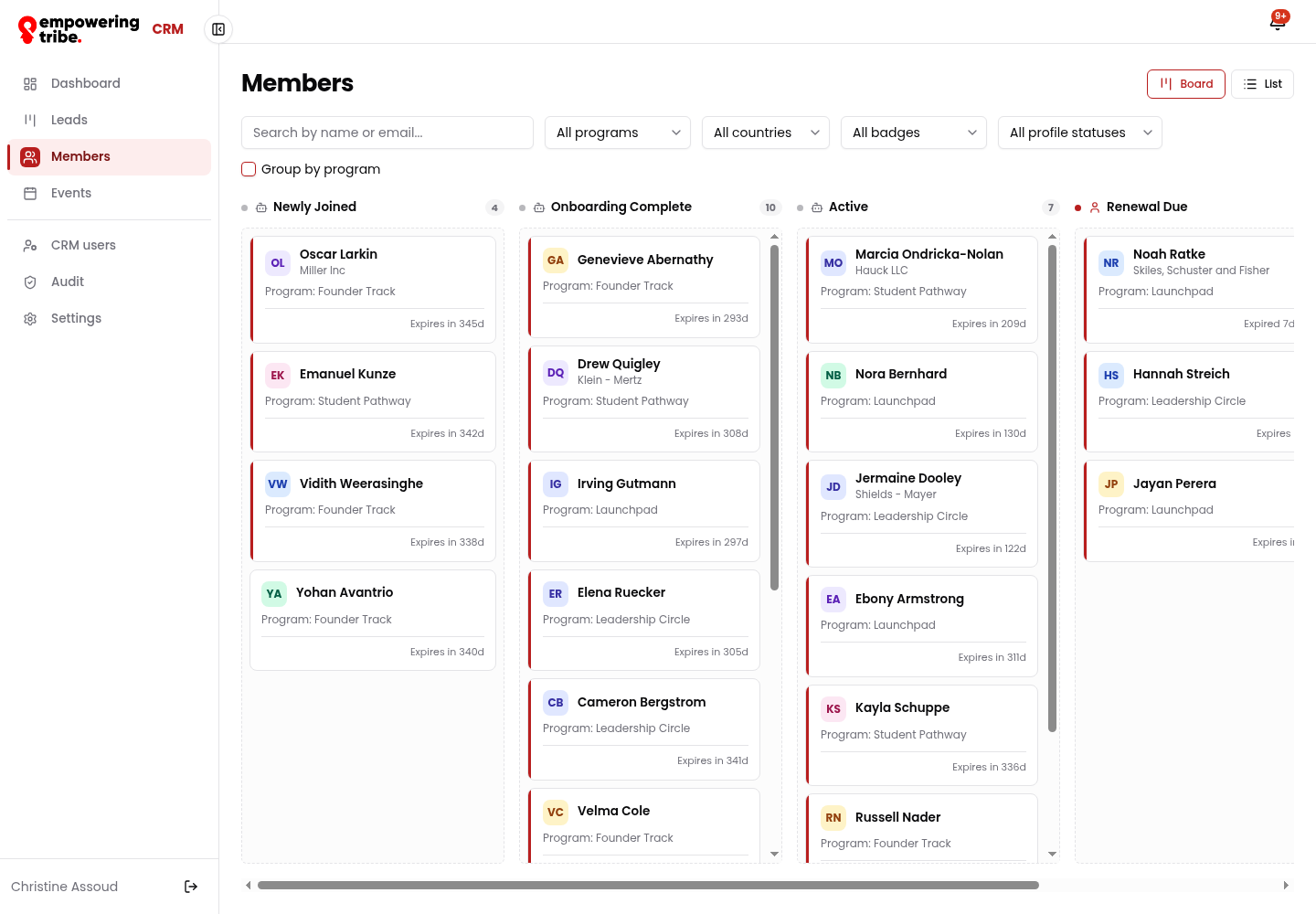
Members board - lifecycle columns with live counts, programs and expiry countdown on every card
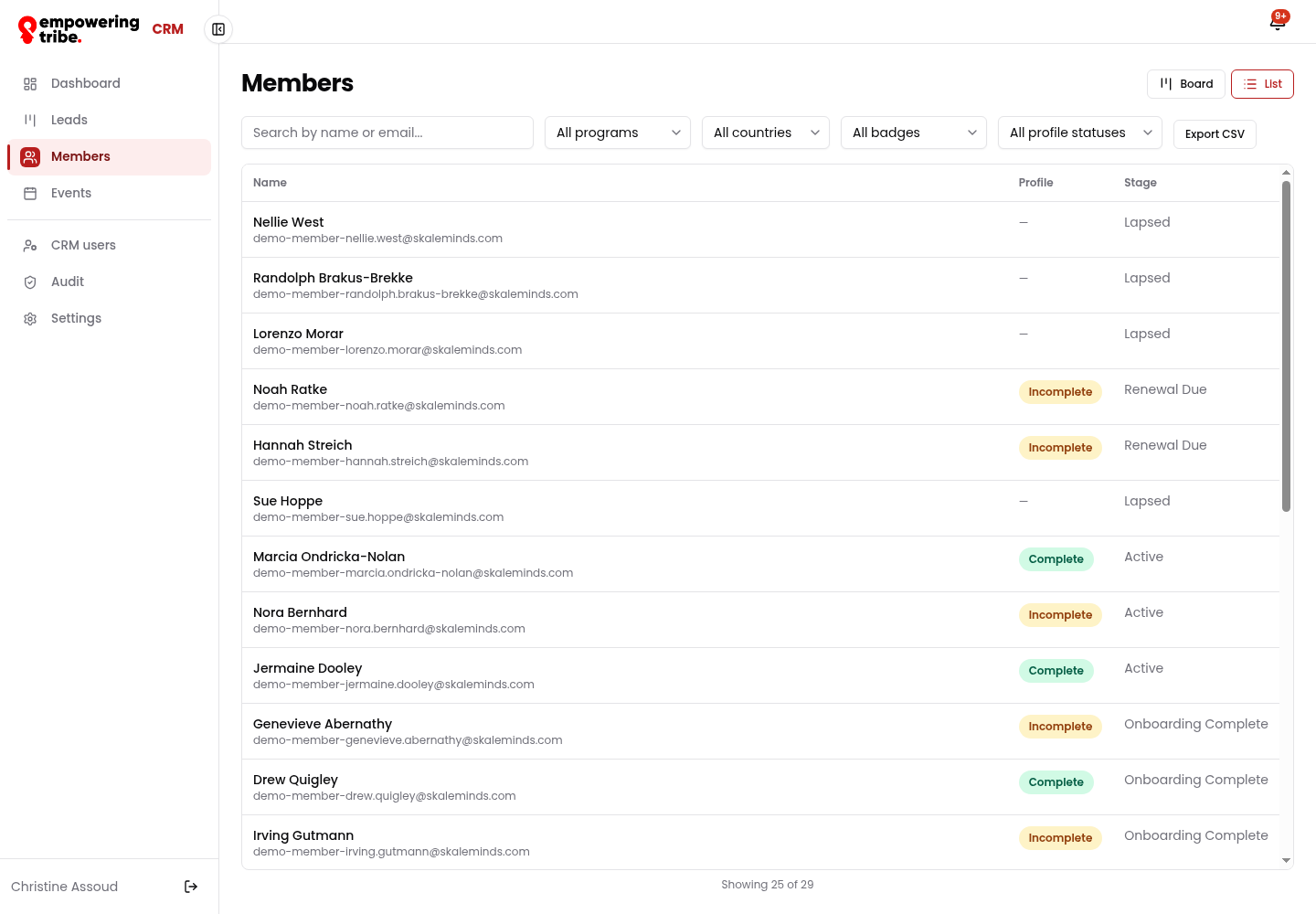
List view - Name, Profile status and Stage, ready to export
Open a member profile
The member record adds the membership layer on top of everything you saw on the lead record.
- Badges next to the name flag status at a glance - here At Risk and Member
- Membership panel - member since, expiry, birthday, city, interests and Catalyst Circle enrolment
- Member Profile Link and Referral Link - both with a Copy button, ready to paste into an email or DM
- Renew Membership and Enroll in Catalyst Circle - the two renewal moves
- Activity tab - the running trail: badge changes, reminders sent, tier overrides and notes added by the team
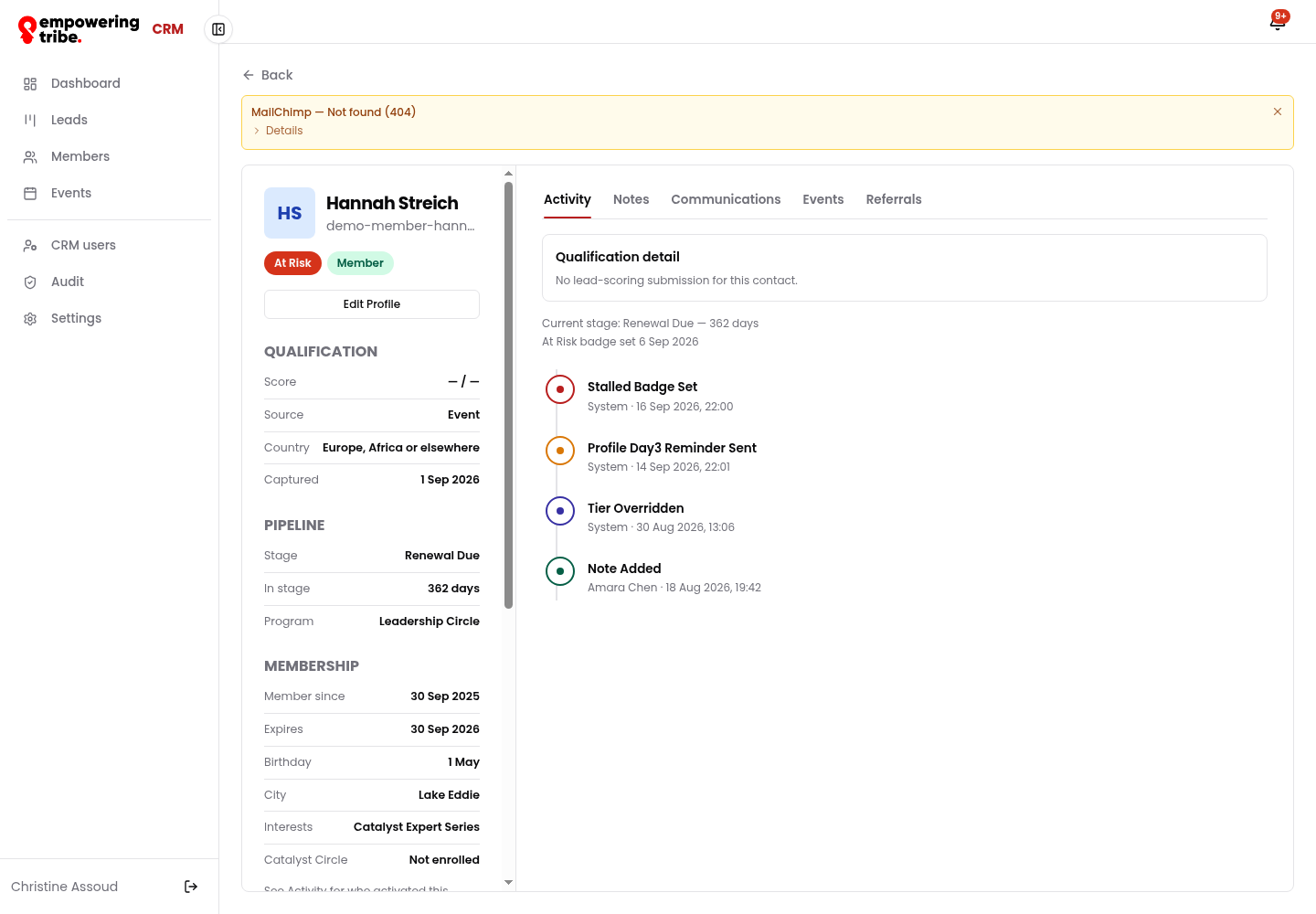
Member profile - At Risk badge, membership block, profile and referral links, and the renewal actions
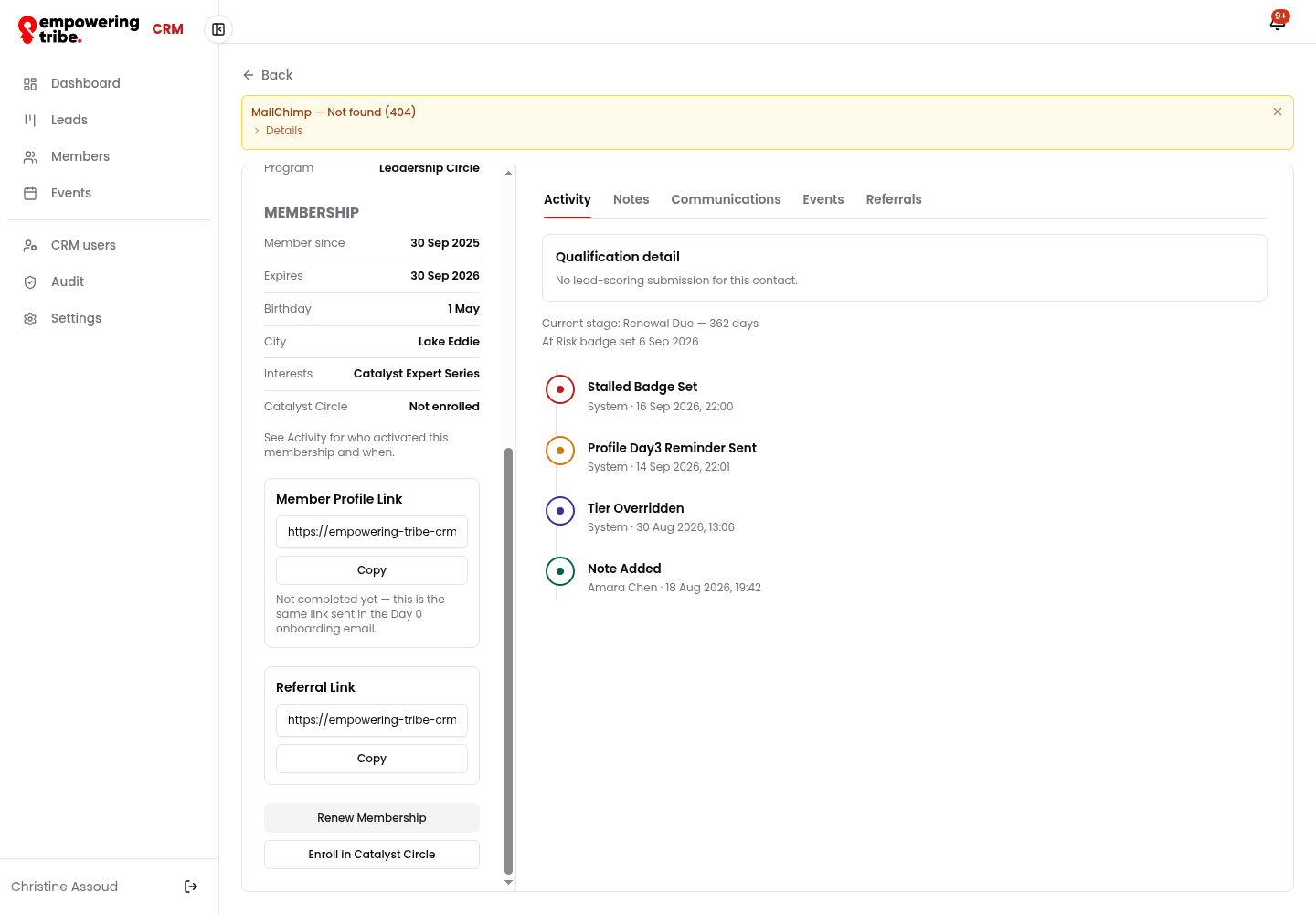
Activity - system events (Stalled Badge Set, Profile Day3 Reminder Sent, Tier Overridden) mixed with human notes
Events
Every session - online or in-person - lives in one list with capacity and status, and a calendar view for the month ahead.
- Open Events - the table shows Name, Format, Date, Location, Status and Capacity (e.g. 2 / 50)
- Speakers appear under the event name for sessions that have one
- Switch to Calendar to see the month, filterable by city
- Statuses are Draft, Published and Past
- Click any event to open its detail page
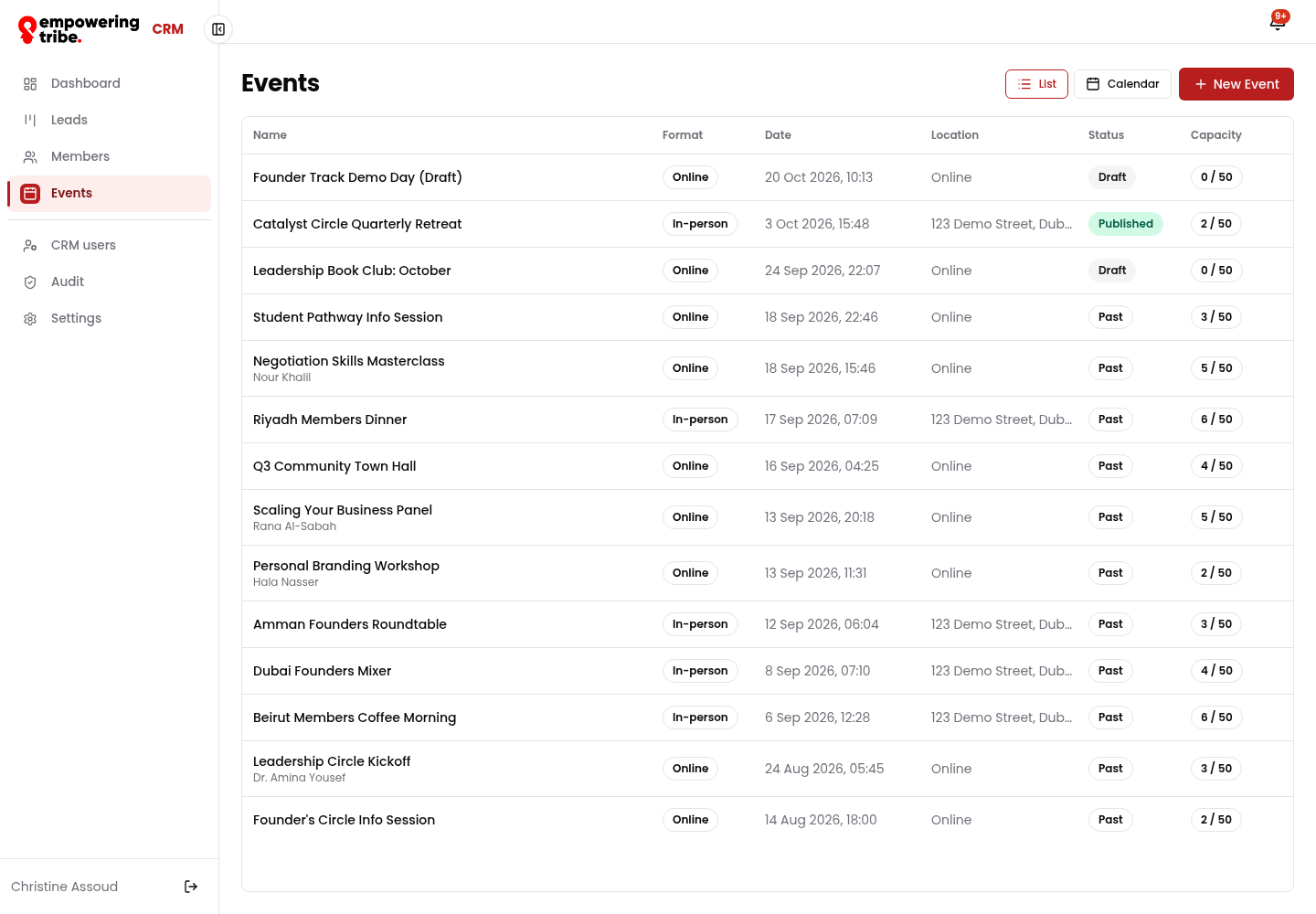
Events list - draft, published and past sessions with capacity fill
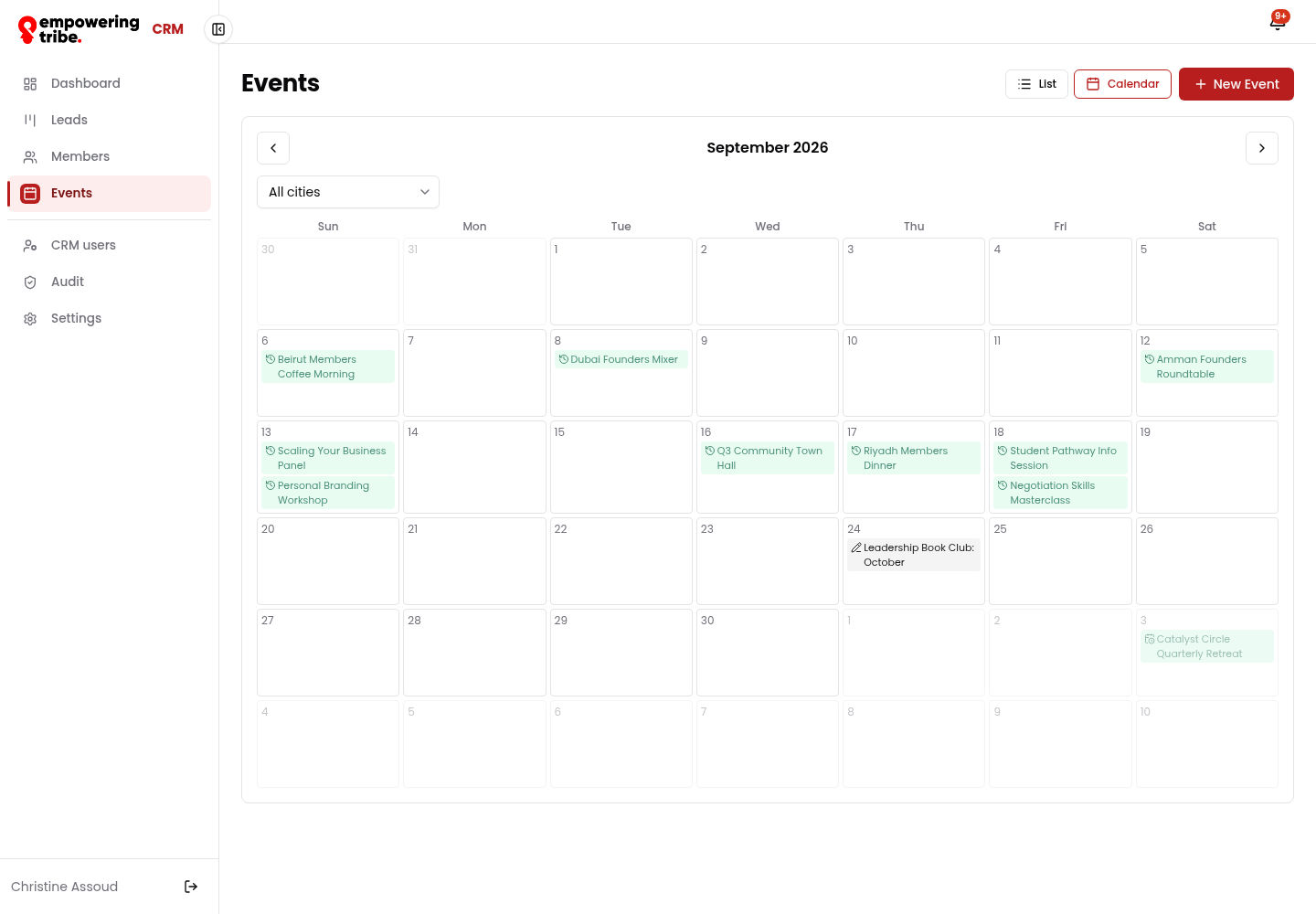
Calendar view - the month's sessions at a glance, filterable by city
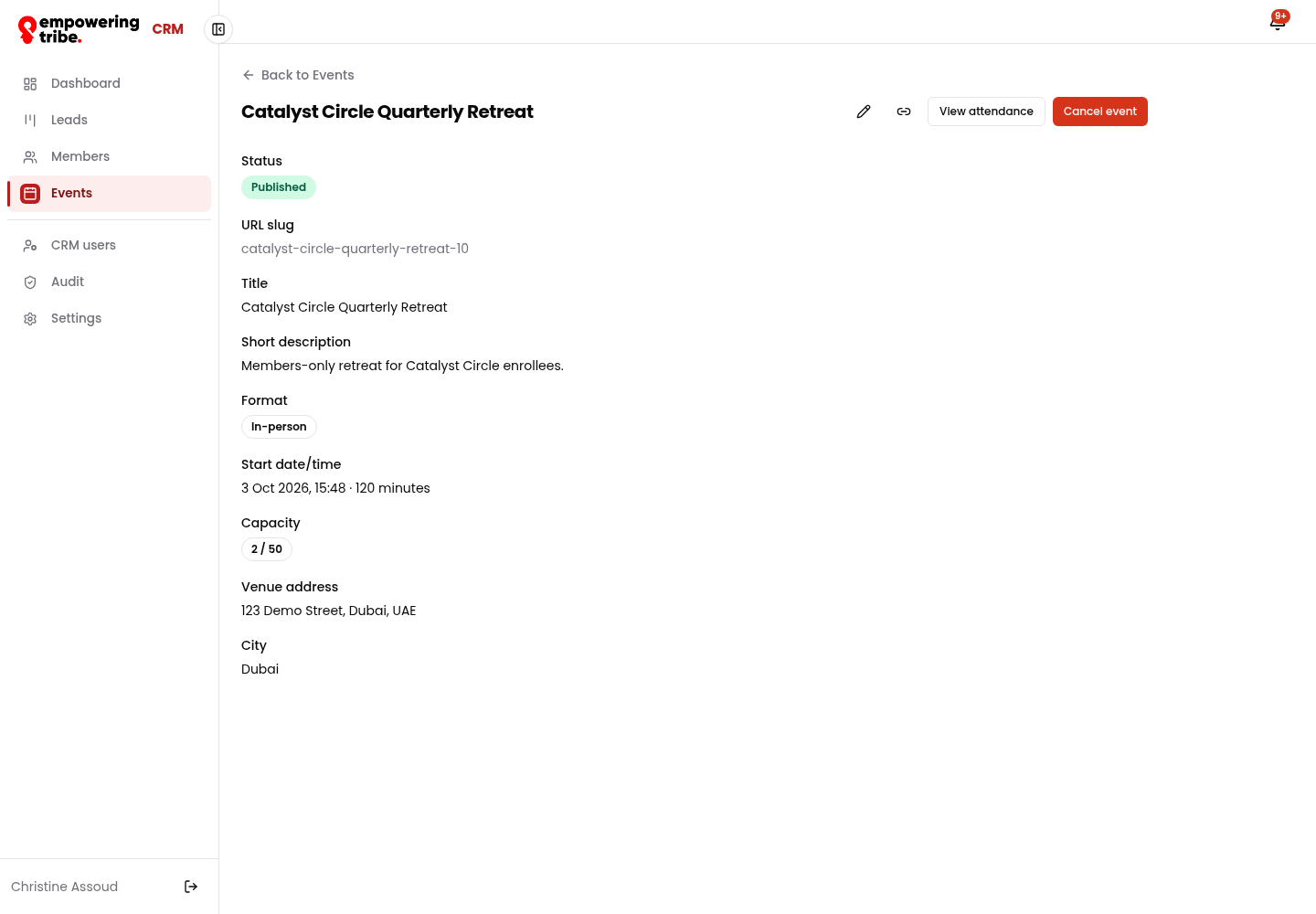
Event detail - slug, description, format, start time, capacity, venue and city, with View attendance and Cancel event
Take attendance
Attendance is where the automated follow-ups branch: what you mark here decides which emails go out afterwards.
- From the event, click View attendance
- Each registrant shows their email, whether they are an Existing member, and whether their tracked link was clicked
- Set each person to Pending, Attended or No-show
- Paste a Recording URL (optional) and click Save to send it to attendees
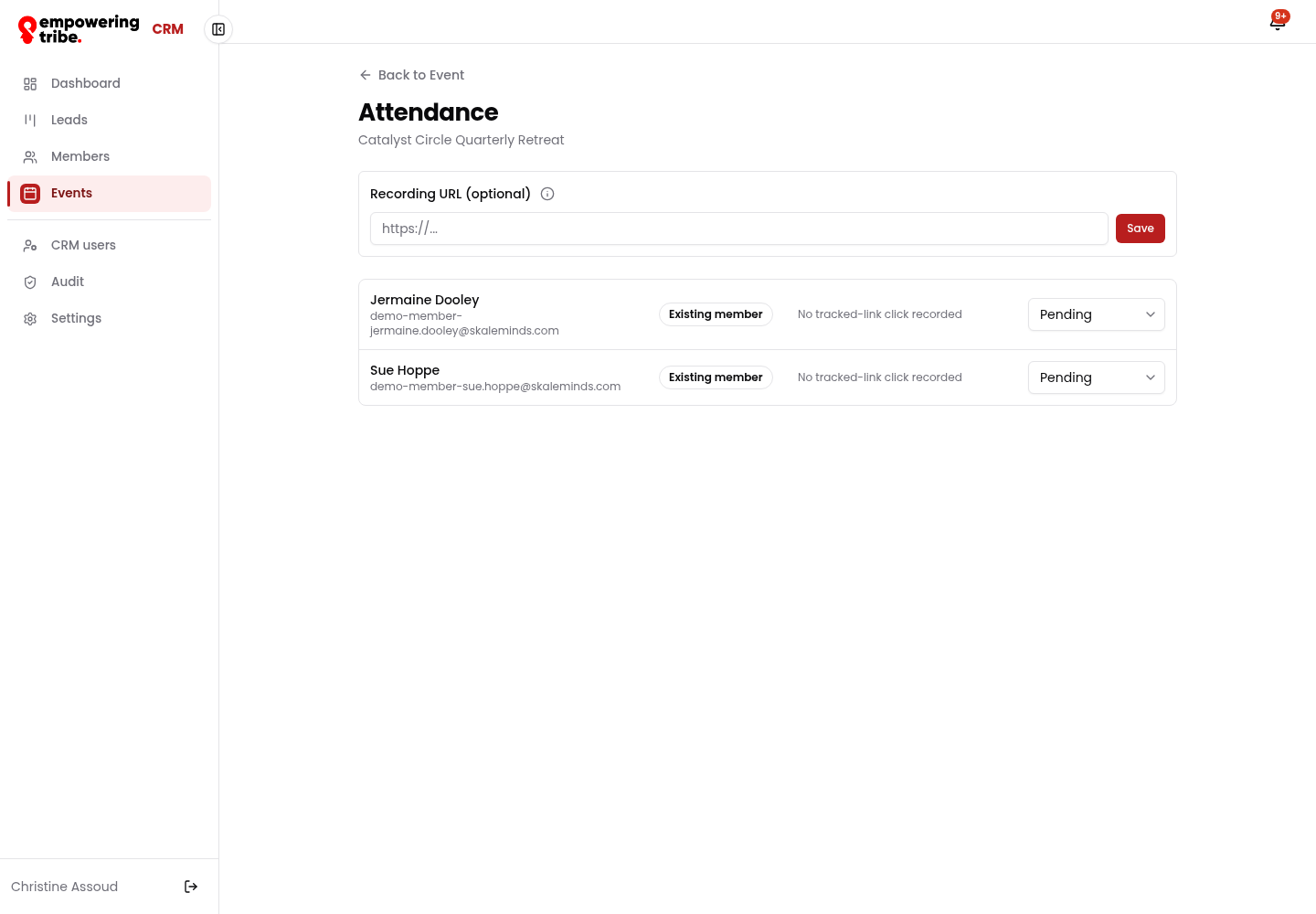
Attendance - registrants with tracked-link status and the three attendance states
Create an event
New Event takes about a minute. Two fields behave differently, so it is worth knowing them up front.
- Title and Short description
- Speaker and Speaker email (optional) - if you add the email, the speaker is sent a calendar invite automatically
- Format - Online or In-person. This cannot be changed after saving
- Start date/time and Duration (minutes)
- Meeting URL for online sessions, plus optional City and Capacity
- Click Create Event - it lands as a Draft until you publish it
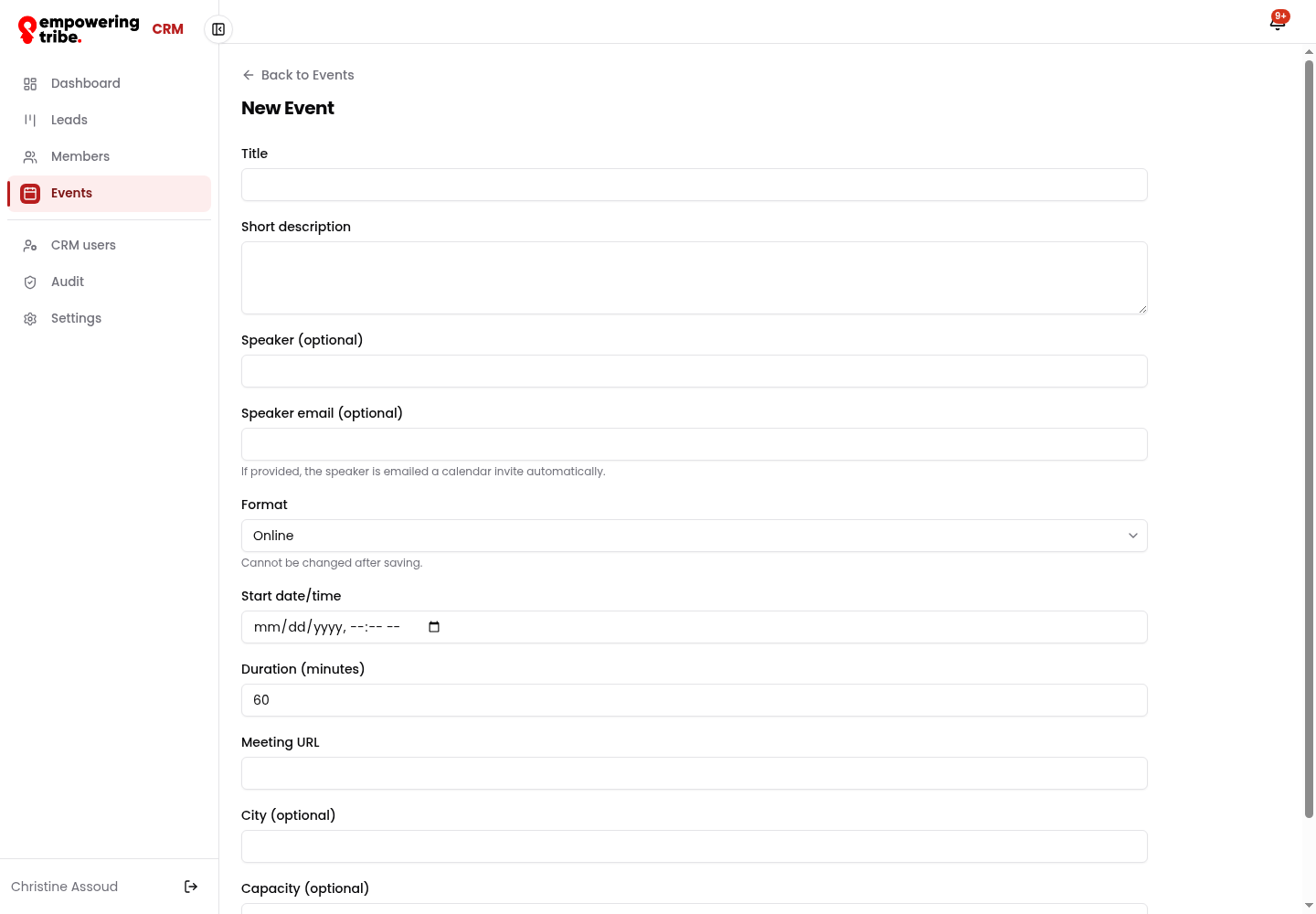
New Event - speaker invite, format lock, timing, meeting URL, city and capacity
CRM users and access
Everyone who can log in sits in CRM users, with their role and status.
- Open CRM users - here 3 active Admin accounts (Super Admin Owner, Manujith Pallewatte, Christine Assoud - you)
- Search by name or email, or click Invite User
- In the invite dialog set Name, Email and Role (User or Admin), then Send Invite
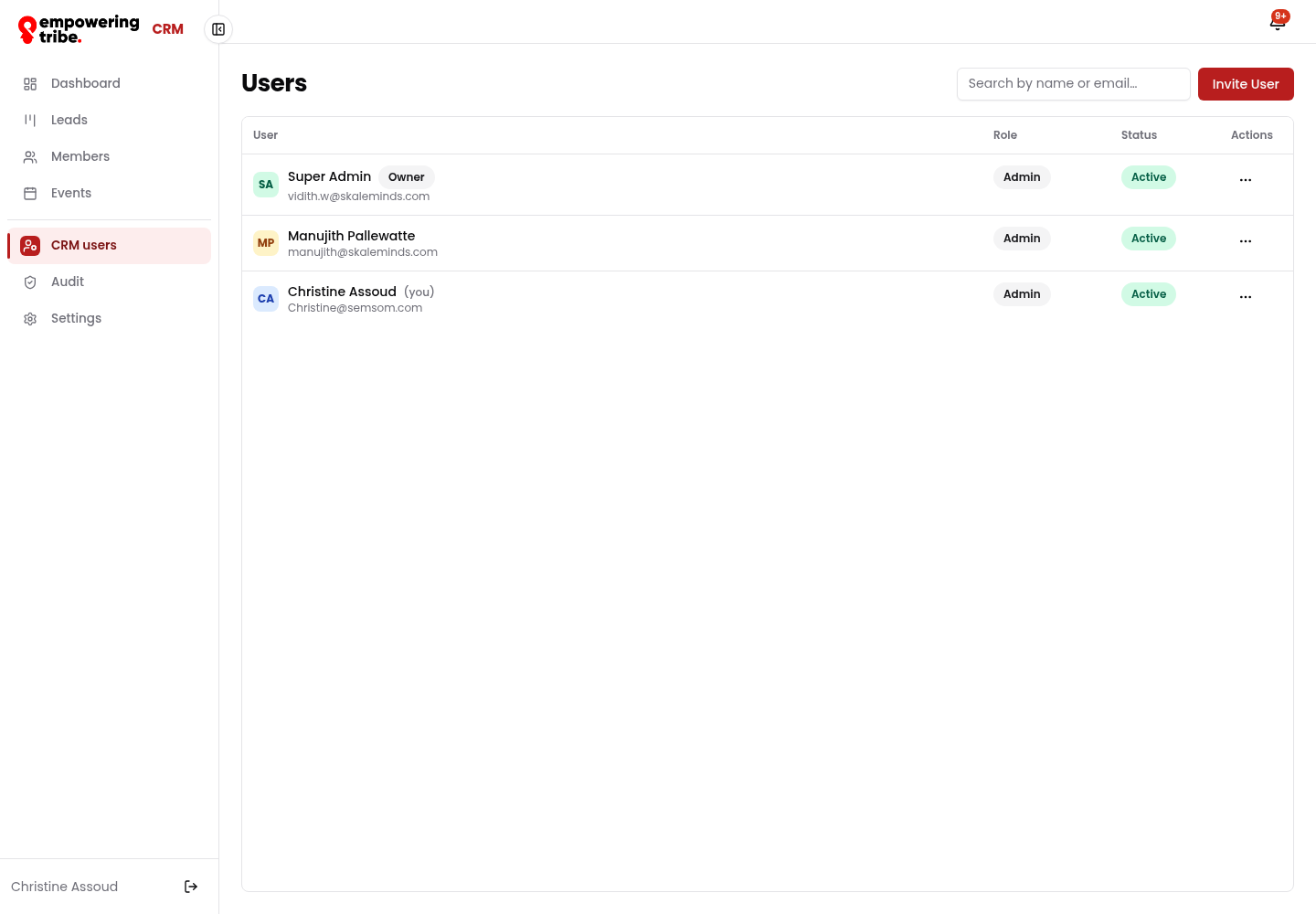
CRM users - role and status per account, with Invite User
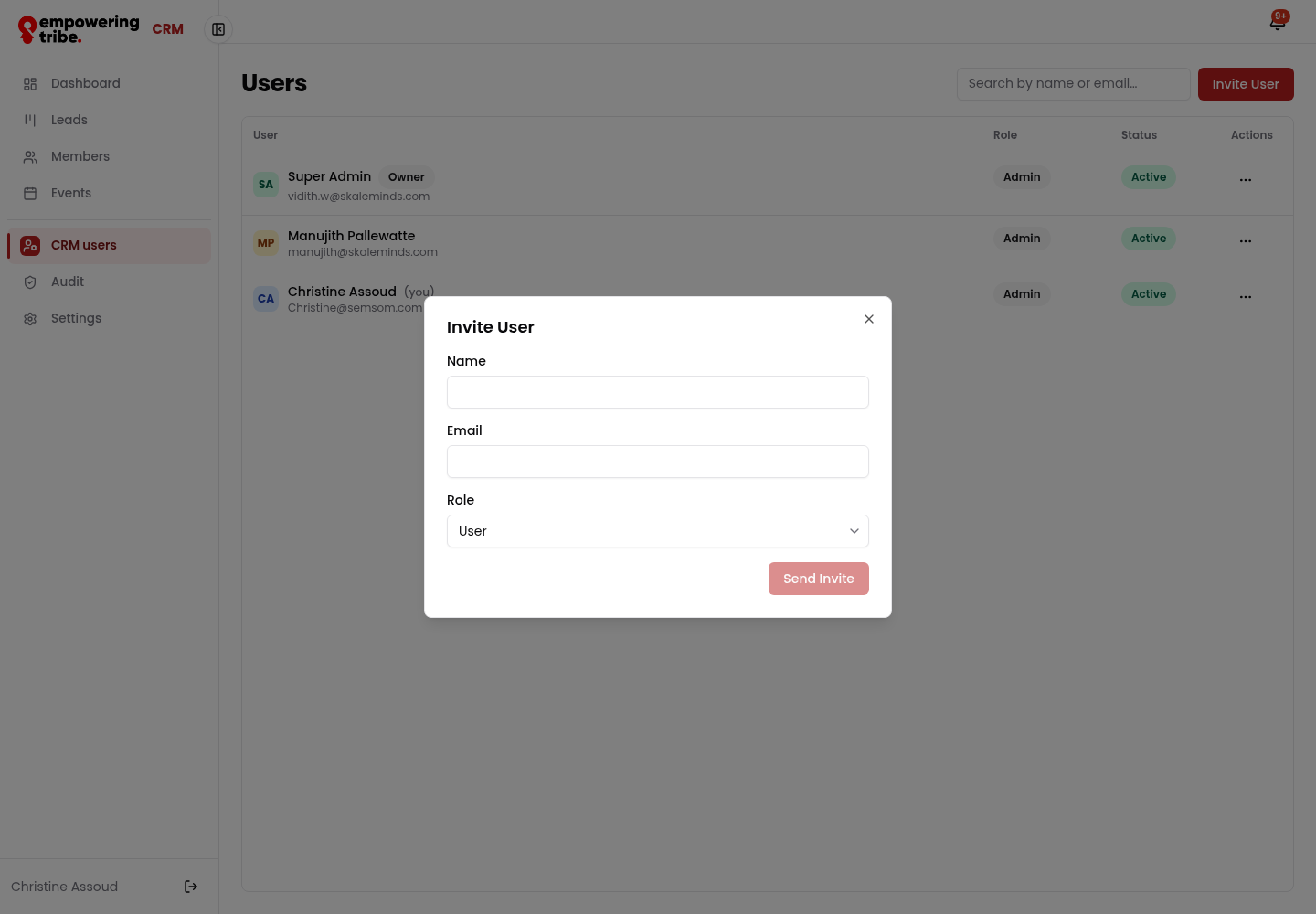
Invite User - name, email and role
Audit log
Every change is recorded - automated or human. This is the first place to look when something looks different to how you left it.
- Open Audit - newest first, with Time, Actor, Category, Action and Target
- Filter by Category: Access, User Management, Contacts, Qualification, Pipeline, Automation, Integrations, Bulk & Export, Settings
- Filter by user, search an action, or set a From / To date range
- Tick Include System actions to see the automations (Stalled Badge Set, Event Reminder 2hour Sent, Event Noshow Sent)
- Export CSV for a report
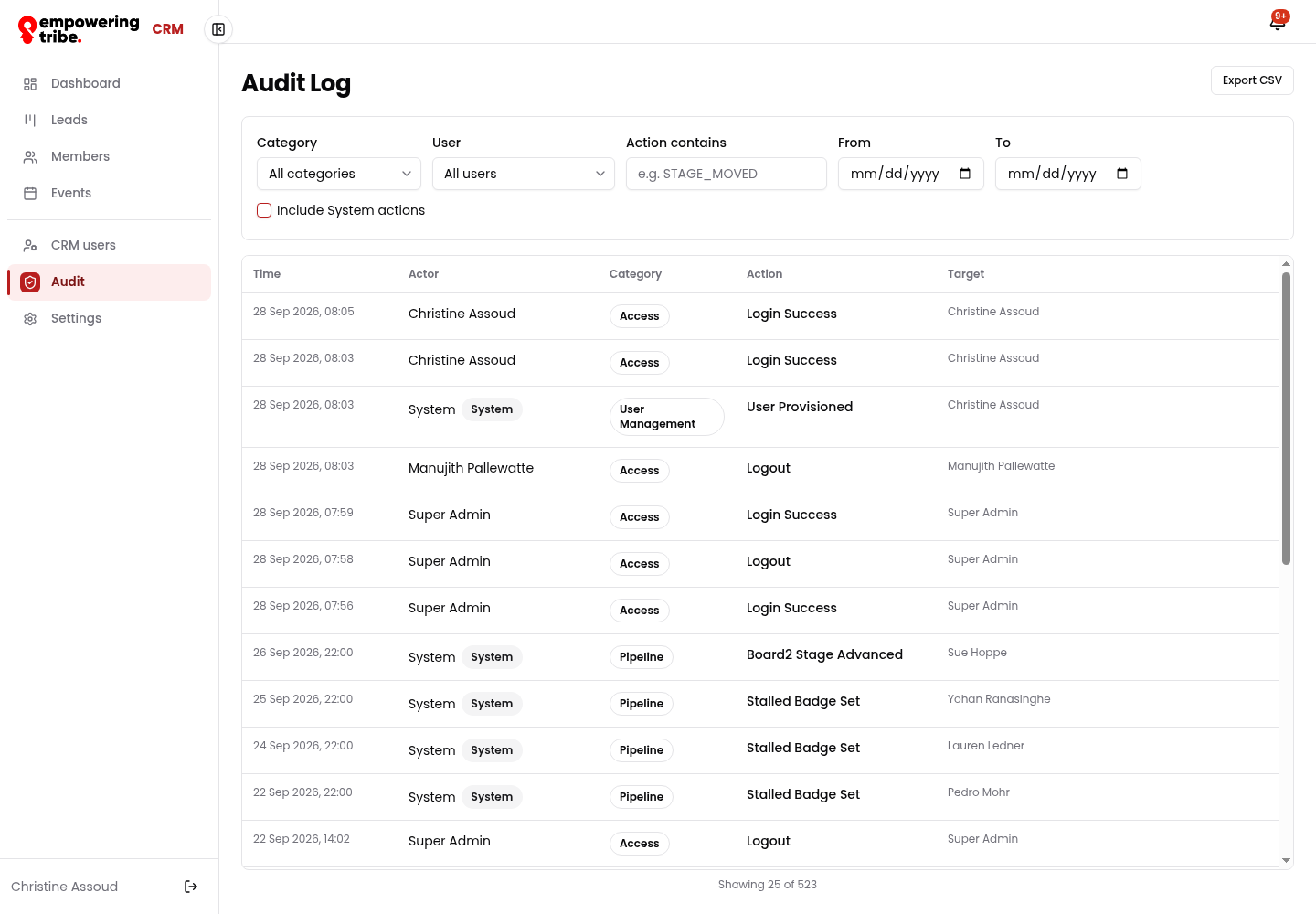
Audit log - logins next to pipeline and automation events, with the full filter set
Settings - where the rules live
Four tabs hold the configuration behind everything above.
- Scoring - share links for the intake form per source (Website, WhatsApp, Instagram), the Strong ≥ / Moderate ≥ thresholds, and the 8 scoring questions with their options and points
- Integrations - MailChimp connection status plus a recent-failure list with Show details
- Programs - Founder Track, Leadership Circle, Launchpad and Student Pathway, each with its slug, description and sort order
- Automation - the full email library, all showing Connected, each listed with the trigger that sets it off
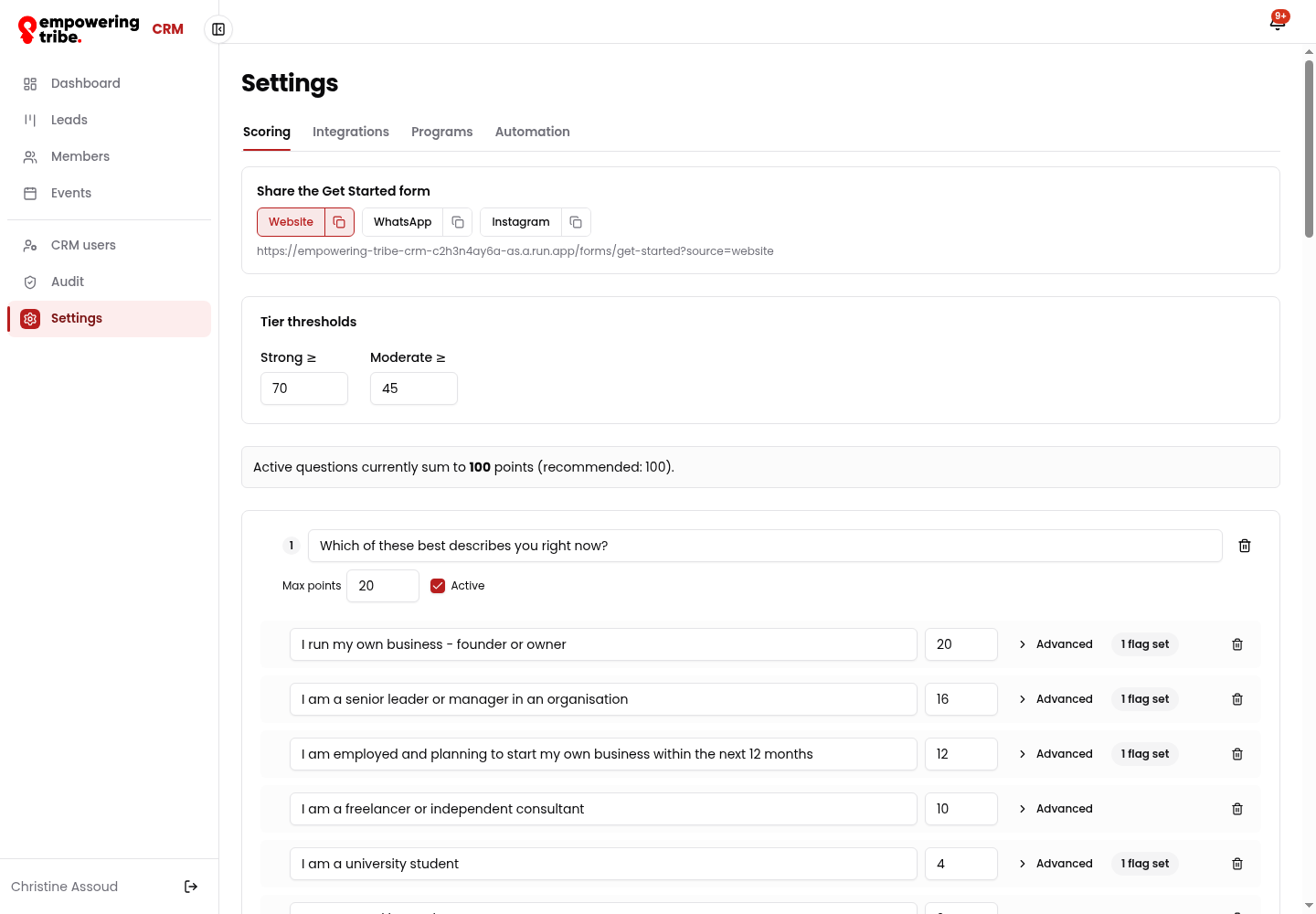
Scoring - form share links per source, tier thresholds and the weighted questions (they sum to 100 points)
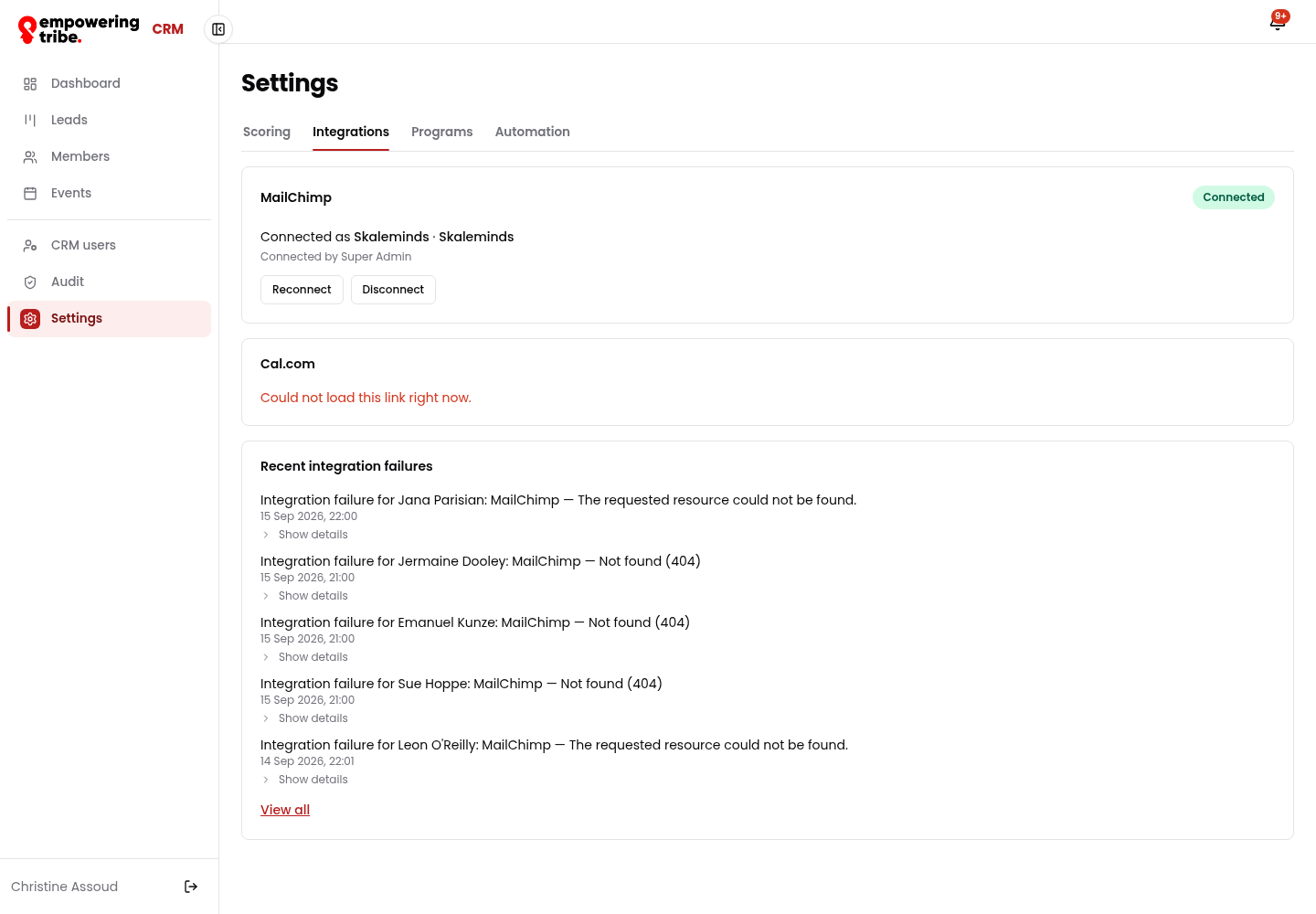
Integrations - MailChimp status and the recent-failure list
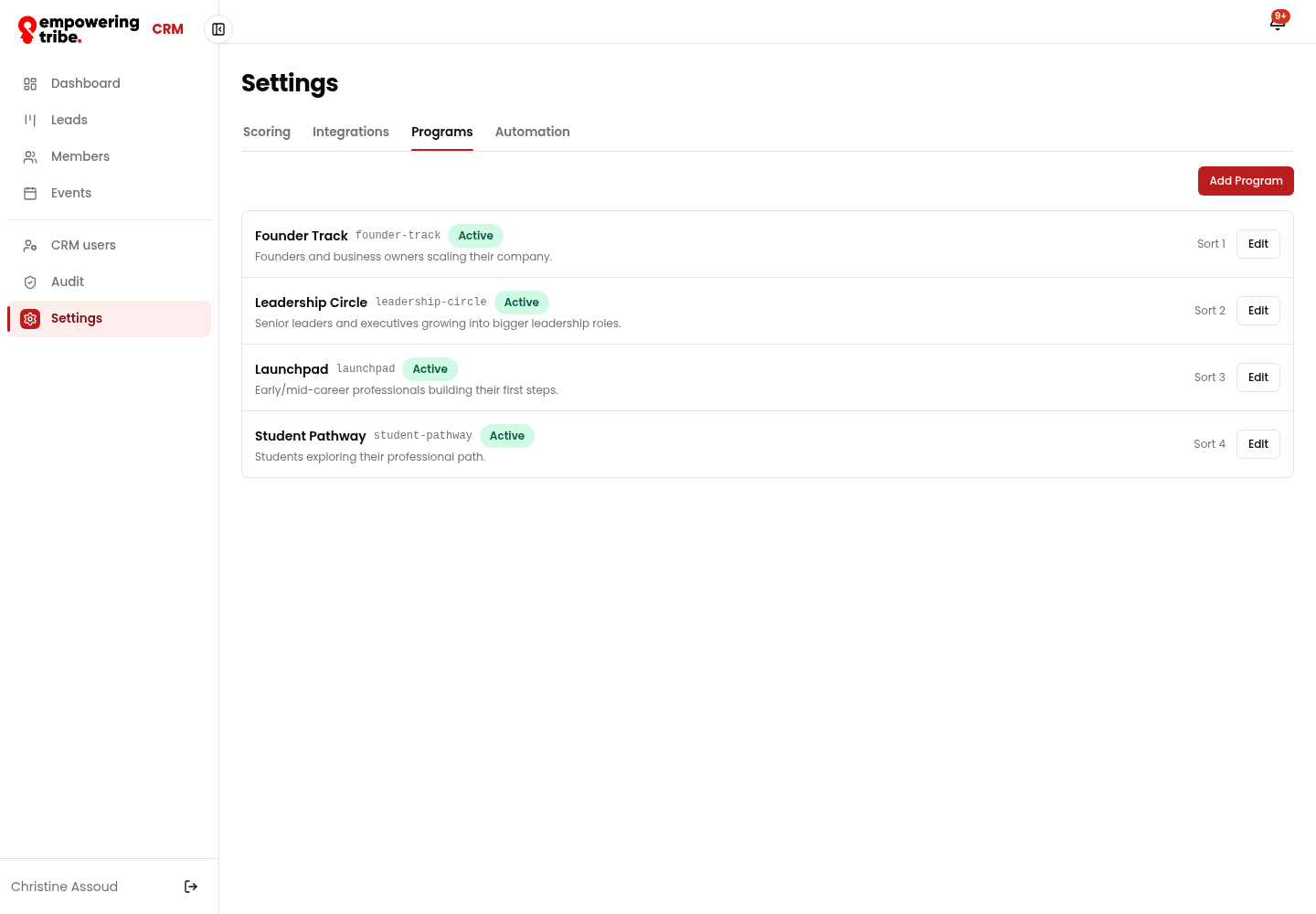
Programs - the four membership tracks with slugs and descriptions
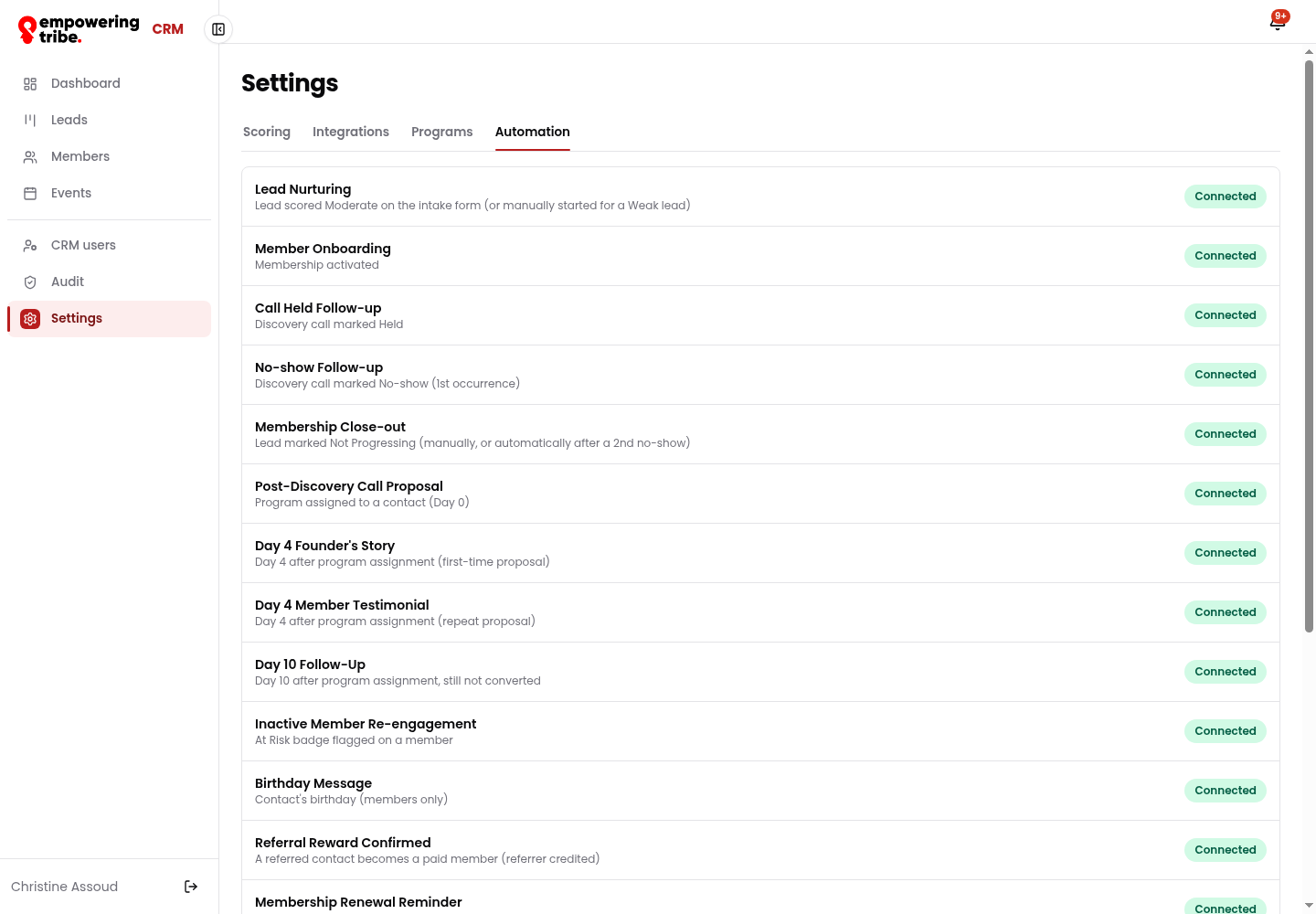
Automation - the trigger library: onboarding, call follow-ups, renewal reminders, birthday, referral reward and every event reminder
Stage reference - where a record sits and what moves it
| Where | Stage | What it means |
|---|---|---|
| Leads | Needs Attention | Scored but nobody has picked it up |
| Leads | Nurturing | In the automated email track (typical for Moderate leads) |
| Leads | Call Booked | A discovery call is on the calendar |
| Leads | Call Held | Call done - follow-up email goes out automatically |
| Leads | Program Assigned | Proposal sent with a program attached (Day 0 of the sequence) |
| Leads | Not Progressing | Parked - close-out sequence, revisit later |
| Members | Newly Joined | Just activated - onboarding sequence running |
| Members | Onboarding Complete | Profile completed, welcome track finished |
| Members | Active | Current membership, no action needed |
| Members | Renewal Due | Inside the renewal window - reminder sequence running |
| Members | Lapsed | Expired - flagged Former Member, eligible for re-engagement |
| Events | Draft / Published / Past | Not visible to members / open for registration / finished |
Good to know during a demo
- Badges do the flagging. At Risk is set when a member goes quiet, Stalled when a contact sits too long in one stage, Former Member on lapse, Un-vetted until the profile is complete. All four are filterable on the Members board.
- Everything is triggered, not sent by hand. Settings → Automation lists the whole library as Connected: Lead Nurturing, Member Onboarding, Call Held Follow-up, No-show Follow-up, Membership Close-out, Post-Discovery Call Proposal, Day 4 Founder's Story, Day 4 Member Testimonial, Day 10 Follow-Up, Inactive Member Re-engagement, Birthday Message, Referral Reward Confirmed, Membership Renewal Reminder, the three event reminders (3 days / 1 day / 2 hours), Post-Workshop Follow-up, Event No-show Follow-up and the Profile Day 3 Reminder.
- Two things to check before you demo them. The public intake form (/forms/get-started) showed "We hit a snag - we couldn't load the qualification form" on three attempts during this capture, while the public API returned HTTP 429 (rate limited) - worth a clean re-test before showing it live. Separately, a few older member records (e.g. Hannah Streich) show a MailChimp — Not found (404) banner, matching the recent-failure list in Settings → Integrations, so those contacts are not currently syncing.
- Data in this workspace is demo data - contacts are named like demo-lead-…@skaleminds.com and demo-member-…@skaleminds.com. Safe to click around; nothing here is a real member.
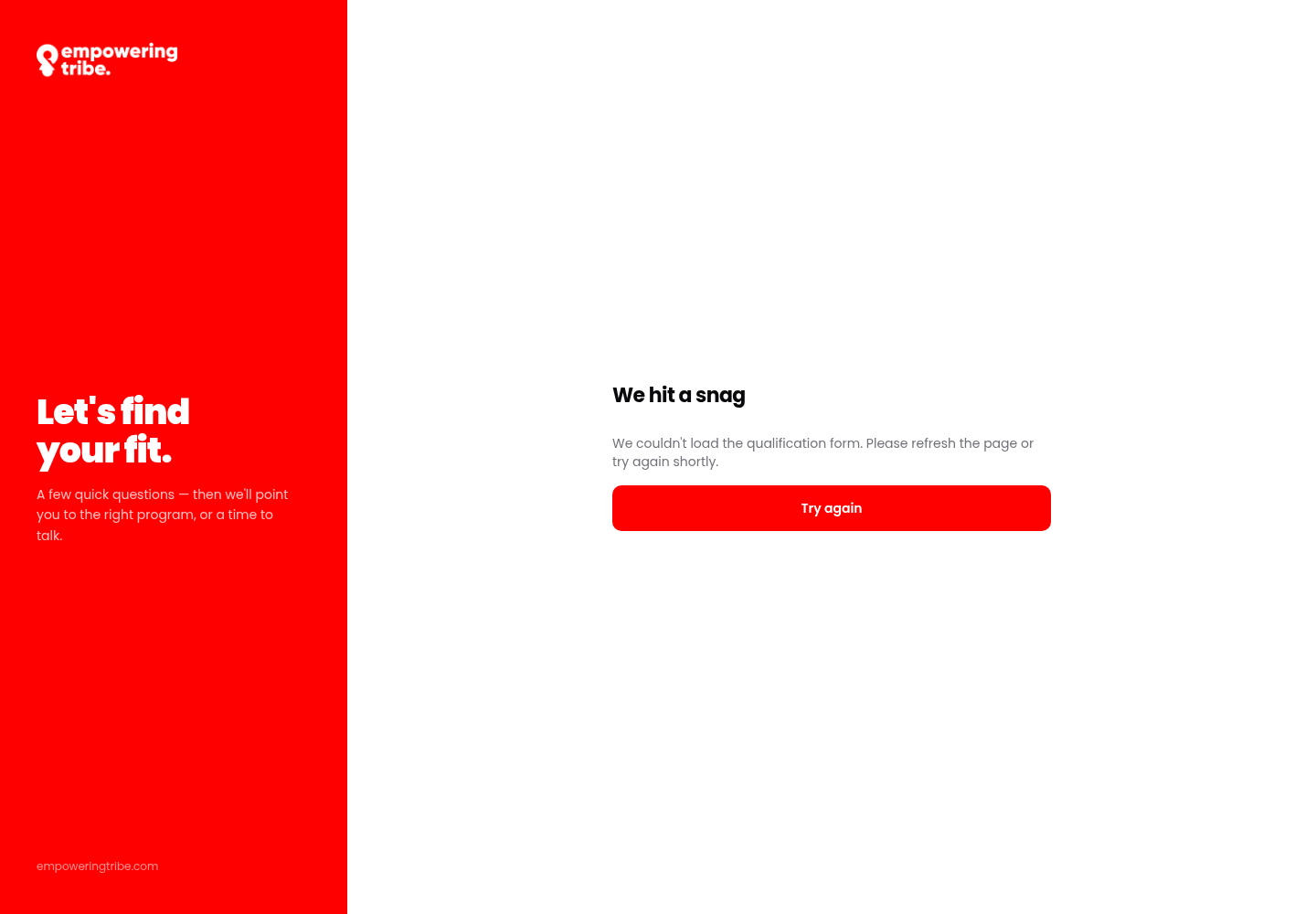
The public intake form as captured - the left panel brands it, the right panel is where the questions should load